Have you ever felt overwhelmed by a flood of ideas or struggled to organize your thoughts? I’ve been there too. That’s when I discovered the power of mind mapping. It’s a visual diagram that starts with a central idea and branches out into related concepts. This simple yet effective tool has transformed the way I approach problem-solving and planning.
Mind mapping isn’t just about drawing lines and bubbles. It’s a way to unlock creativity and structure your insights. By visually connecting ideas, it helps you see the bigger picture while keeping details organized. Whether you’re brainstorming for a project or planning your next big move, this technique can make a world of difference.
What I love most is how it combats information overload. Instead of juggling endless notes, a mind map condenses everything into a clear, easy-to-follow format. It’s no wonder millions of people, from students to professionals, rely on this method to enhance their thinking and productivity.
Key Takeaways
- Mind mapping is a visual tool that organizes ideas around a central topic.
- It boosts creativity and helps structure thoughts clearly.
- This technique reduces information overload by simplifying complex ideas.
- It’s useful for both personal and professional planning.
- Popularized by Tony Buzan, it’s now supported by modern software solutions.
Overview of Mind Mapping
Visualizing ideas can transform how you process information. At its core, this technique revolves around a central idea, branching out into related concepts. It’s a simple yet powerful way to organize thoughts and see connections clearly.
What is Mind Mapping?
This method starts with a single topic at the center. From there, it expands into subtopics, creating a web of related ideas. It’s not just about writing down thoughts—it’s about seeing how they connect. This approach helps simplify complex information and makes it easier to remember.
Historical Evolution of Mind Maps
The roots of this technique go back centuries. Thinkers like Porphyry and Ramon Llull used diagrammatic representations to organize knowledge. However, it was Tony Buzan who popularized it in the 1970s. His work introduced it as a tool for brainstorming and creative thinking.
Today, the process has evolved from pen and paper to digital platforms. Modern mind mapping software offers interactive features, making it easier to create, edit, and share visual diagrams. These tools have taken the technique to new heights, helping users manage even the most complex ideas.
Benefits of Mind Mapping for Clear Thinking
Ever wondered how to turn chaos into clarity with a simple visual tool? I’ve found that breaking down complex topics into manageable pieces can work wonders. This technique stimulates my brain, making it easier to process and retain information.
Boosting Creativity
One of the biggest advantages is how it sparks creativity. By visually connecting ideas, I can brainstorm more effectively. The structured layout allows me to see relationships between concepts that I might have missed otherwise. It’s like unlocking a new level of thinking.
Studies show that this method can increase productivity by up to 23%. For me, it’s a game-changer when planning projects or solving problems. The clarity it provides helps me make better decisions and stay focused.
Enhancing Organization
Another key benefit is improved organization. Instead of juggling endless notes, I can condense everything into a clear, easy-to-follow format. This approach helps me prioritize tasks and allocate resources efficiently.
“Visual tools like this simplify complex ideas and make them easier to remember.”
Whether I’m studying or working on a business strategy, this technique ensures I stay on track. It’s a practical way to enhance memory recall and keep my thoughts structured. The result? A more productive and focused me.
Mind Mapping
Structuring ideas visually can unlock a new level of clarity and focus. At its core, this method revolves around a central topic, acting as a hub for knowledge. From there, it branches out into sub-topics, creating a tree-like structure that connects ideas effortlessly.
What makes this approach so effective is its flexibility. Whether you’re planning a project, studying for an exam, or organizing personal goals, it transforms complex information into visually engaging diagrams. Each branch represents a related concept, making it easy to see how everything fits together.
One of the key strengths is its focus on a single central idea. This ensures clarity and prevents distractions. For example, in business, it’s used for strategic planning and brainstorming. In education, students rely on it to summarize lessons and prepare for exams. Even in personal planning, it helps break down goals into actionable steps.
“Visual tools like this simplify complex ideas and make them easier to remember.”
Studies show that this method can improve learning efficiency by up to 15%. It’s no wonder it’s widely used across various sectors. From project management to creative thinking, it’s a versatile tool that adapts to your needs. By visually connecting ideas, it not only enhances understanding but also boosts productivity.
Step-by-Step Guide to Creating a Mind Map
Starting with a blank canvas can feel intimidating, but breaking it down makes it manageable. I’ll walk you through the process of creating a visual diagram using digital tools. This method is efficient, flexible, and perfect for organizing your thoughts.
Entering the Main Topic
Begin by identifying your central idea. This is the core of your diagram and should be placed in the middle of the canvas. Use clear, concise keywords to define it. For example, if you’re planning a project, the main topic could be the project name or goal.
Most mapping software allows you to easily drag and drop elements. This feature saves time and makes adjustments simple. Once your main topic is set, you’re ready to expand.
Expanding with Sub-Topics
Next, brainstorm primary subjects related to your central idea. These become the first branches of your diagram. For instance, if your main topic is a business strategy, sub-topics might include marketing, finance, and operations.
Using software, you can add these branches with a few clicks. The drag-and-drop functionality makes it easy to rearrange ideas as your plan evolves. This flexibility is one of the biggest advantages of digital tools.
As you add sub-topics, consider using color coding to differentiate categories. This visual cue helps you quickly identify connections and patterns. Adding notes to each branch can also provide additional context or details.
“Visual tools like this simplify complex ideas and make them easier to remember.”
Finally, expand further by adding secondary branches. These represent more specific ideas or tasks. For example, under the marketing sub-topic, you might include social media, email campaigns, and SEO. This layered approach creates a clear outline of your thoughts.
By following these steps, you’ll transform scattered ideas into a structured, easy-to-follow diagram. Whether you’re planning a project or organizing personal goals, this method ensures clarity and focus.
Choosing the Right Mind Mapping Software
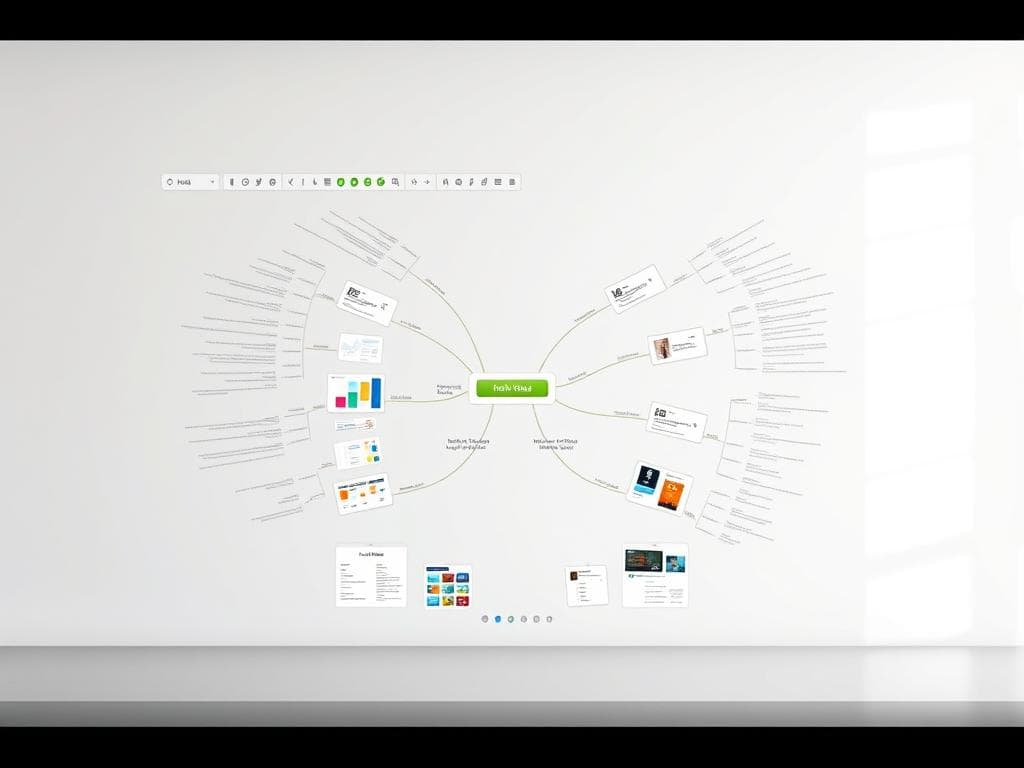
Finding the right tool to organize your thoughts can make all the difference. With so many options available, it’s essential to choose software that fits your needs. Whether you’re managing a project or brainstorming for your business, the right platform can streamline your workflow.
Free Mind Mapping Tools
If you’re on a budget, free tools like FreeMind are a great starting point. They offer basic features for creating visual diagrams and organizing ideas. However, they often lack advanced functionalities like collaboration or integration with Microsoft Word.
For those who need more flexibility, platforms like Coggle provide free plans with upgrade options. These tools are ideal for personal use or small projects. They’re easy to use and perfect for beginners.
Commercial Software Options
For professionals, commercial software like MindMeister or Miro offers advanced features. These platforms support team collaboration, task management, and seamless integration with MS Office. They’re ideal for business environments where efficiency is key.
Tools like Xmind and ClickUp are also popular for their versatility. They allow you to export diagrams in various formats, making it easier to share your work. While these options come at a cost, their features often justify the investment.
“The right software can transform how you manage ideas and collaborate with others.”
When choosing a platform, consider your goals. Are you looking for a tool for personal use or a robust solution for your business? Free tools are great for starters, but commercial options provide the advanced features needed for complex projects.
Finally, take advantage of free trials or limited versions. This allows you to test the software before committing. With the right tool, you can turn chaos into clarity and achieve your goals more efficiently.
Mind Mapping Applications in Business and Education
Visual tools can revolutionize how we approach both business and learning. Whether you’re strategizing for a company or planning a lesson, these methods simplify complex ideas and foster creativity. Their intuitive design makes them accessible for users of all ages, from executives to students.
Enhancing Business Strategies
In my experience, visual diagrams have been a game-changer for business planning. They help clarify strategies and streamline meetings. For example, during a recent project kick-off, I used a visual tool to classify ideas and delegate tasks. This approach saved time and ensured everyone was aligned.
These tools are also effective for identifying process gaps and brainstorming solutions. By visually mapping out workflows, teams can see how different departments connect. This clarity improves communication and accelerates decision-making.
“Visual tools simplify complex topics, leading to quicker team alignment and communication.”
Empowering Educational Practices
In education, visual diagrams are equally transformative. Teachers can use them to plan lessons and engage students more effectively. For instance, a partially completed diagram can serve as an assessment tool, allowing students to fill in the gaps with their knowledge.
These tools also promote meaningful learning by connecting new information with what students already know. This approach enhances retention and makes lessons more interactive. In my own teaching experience, I’ve seen how visual aids can turn abstract concepts into clear, memorable lessons.
From corporate strategy sessions to classroom activities, these methods have a dual impact. They enhance creativity and clarity, making them invaluable for both business and education.
Visual Techniques to Enhance Your Mind Map
Ever felt stuck trying to make sense of a jumble of ideas? Visual techniques can help. By adding images, colors, and keywords, you can transform a simple diagram into a powerful tool for clarity and retention. These elements not only make your work visually appealing but also stimulate the brain, making complex information easier to digest.
Using Images, Colors, and Keywords
One of the most effective ways to enhance your diagram is by incorporating images. Tony Buzan, a pioneer in this field, emphasized the importance of visuals in boosting memory and creativity. Adding a relevant picture can help highlight key points and make your work more engaging.
Color coding is another powerful technique. Studies show that using colors can improve recall rates by 20-30%. By assigning specific colors to different categories, you can organize information more effectively. For example, I often use green for goals, blue for tasks, and red for deadlines. This approach not only enhances the overall look but also makes the diagram easier to navigate.
“Visual cues simplify complex ideas and make them easier to remember.”
Keywords are equally important. Instead of writing full sentences, I use concise keywords to reduce cognitive overload. This technique, popularized by Tony Buzan, ensures that the brain can process information quickly and efficiently. For instance, instead of writing “Project Timeline,” I simply use “Timeline” as a keyword.
Here are some personal tips for using these techniques:
– Use icons or symbols to represent ideas visually.
– Stick to a consistent color scheme for better organization.
– Keep keywords short and impactful to avoid clutter.
– Regularly review and update your diagram to reinforce memory connections.
By integrating these visual techniques, you can create diagrams that are not only informative but also visually appealing. Whether you’re planning a project or studying for an exam, these strategies will help you stay organized and focused.
Troubleshooting Common Mind Mapping Challenges
When working with visual diagrams, it’s easy to run into roadblocks that slow you down. One of the most common issues is excessive clutter. Too many branches and details can make your diagram hard to navigate. To fix this, I recommend simplifying your layout by grouping related ideas together. This technique keeps your work clear and focused.
Another challenge is finding the right layout. Sometimes, the default settings of your software don’t align with your needs. In my experience, adjusting the spacing and alignment can make a big difference. Most tools allow you to customize these settings, so take advantage of them. This helps you use mind mapping tools more effectively.
Rearranging branches can also be tricky. If you’re struggling, try using drag-and-drop features to move elements around. This saves time and reduces frustration. I’ve found that breaking down the process into smaller steps makes it easier to manage. For example, start with the main branches and then add details later.
“Simplifying your layout and customizing settings can transform your experience with visual diagrams.”
Finally, don’t forget to review your work regularly. I’ve noticed that revisiting my diagrams helps me spot areas for improvement. This technique ensures that my maps stay organized and up-to-date. By following these steps, you can overcome common challenges and create diagrams that are both clear and effective.
Advanced Mind Mapping Strategies
Taking your visual thinking to the next level requires advanced strategies. These methods go beyond basic note-taking, offering tools to enhance collaboration, memory retention, and efficiency. Whether you’re managing a team or working on a solo project, these techniques can transform the way you approach complex tasks.
Collaborative Techniques for Teams
One of the most powerful ways to elevate your process is through real-time collaboration. Tools like Miro and MindMeister allow teams to work together on a single diagram, no matter where they are. This approach not only saves time but also ensures everyone is aligned. I’ve found that this method fosters creativity and encourages diverse perspectives.
For example, during a recent project, my team used a shared diagram to brainstorm ideas. The ability to see contributions in real-time helped us identify connections we might have missed otherwise. This collaborative way of working streamlined our process and improved outcomes.
Enhancing Memory and Efficiency
Structured visual diagrams are a game-changer for memory retention. By organizing information hierarchically, you create a clear pathway for recall. Studies show that this method can improve learning efficiency by up to 15%. In my experience, it’s an effective way to simplify complex topics and retain key details.
Another benefit is how it saves time. Instead of sifting through pages of notes, you can quickly locate information within your diagram. This approach is particularly useful for fast-paced environments where every minute counts.
“Real-time collaboration and structured diagrams transform how teams work and think.”
Integrating into Project Management
Advanced tools also offer integrations with project management platforms like ClickUp and Trello. This allows you to seamlessly transfer ideas into actionable tasks. For instance, I’ve used this method to break down a business strategy into manageable steps. The visual clarity ensured that nothing was overlooked.
These integrations provide a streamlined way to manage complex projects. By combining visual thinking with task management, you can achieve greater productivity and focus.
From boosting memory to saving time, these advanced strategies offer a powerful way to enhance your workflow. Whether you’re collaborating with a team or working independently, they can help you achieve your goals more efficiently.
Integrating Mind Mapping into Daily Workflow
Incorporating visual tools into my daily routine has transformed how I manage tasks and deadlines. These tools help me stay organized and focused, whether I’m planning a project or tackling personal goals. By using a central page to outline my priorities, I can quickly see what needs attention and avoid feeling overwhelmed.
Maximizing Productivity with Visual Outlines
One of my favorite strategies is starting each day with a clear center for my diagram. This acts as the hub for all my tasks and ideas. By focusing on this central point, I can branch out into sub-tasks and deadlines without losing sight of the bigger picture. It’s a simple yet effective way to stay on track.
For example, I use a digital notebook to create a page dedicated to daily priorities. This allows me to update and rearrange tasks as needed. Studies show that 75% of users find that visual tools enhance their ability to organize complex information. In my experience, this method saves time and reduces stress.
Personal and Professional Planning
Personal organization often translates into professional success. When I’m organized at home, I’m more focused and productive at work. Visual tools help me bridge this gap by providing a clear structure for both areas of my life. For instance, I use the same center approach to plan family events and work projects.
Here’s how I create a daily visual outline tailored to my needs:
– Start with a central idea or goal.
– Add branches for tasks, deadlines, and notes.
– Use colors and icons to highlight priorities.
– Review and update the diagram regularly.
“Visual tools simplify complex ideas and make them easier to remember.”
By following these steps, I’ve found that I can manage my time more effectively and achieve my goals with less effort. Whether you’re a busy professional or a person juggling multiple responsibilities, these tools can make a significant difference in your daily workflow.
Conclusion
Visualizing your thoughts can bring clarity to even the most complex ideas. Throughout this article, I’ve explored how visual tools like diagrams can enhance creativity, organization, and productivity. By integrating images and well-structured text, you can create diagrams that are both engaging and easy to follow.
I encourage you to experiment with online mind tools to see how they can simplify your workflow. Whether you’re planning a project, studying, or brainstorming, these tools can make a significant difference. Personally, I’ve found them invaluable for staying focused and organized.
I’d love to hear about your experiences with visual tools. Share your thoughts in the comments below! From business strategies to personal goals, these tools remain an indispensable part of my creative process.

